 By
By 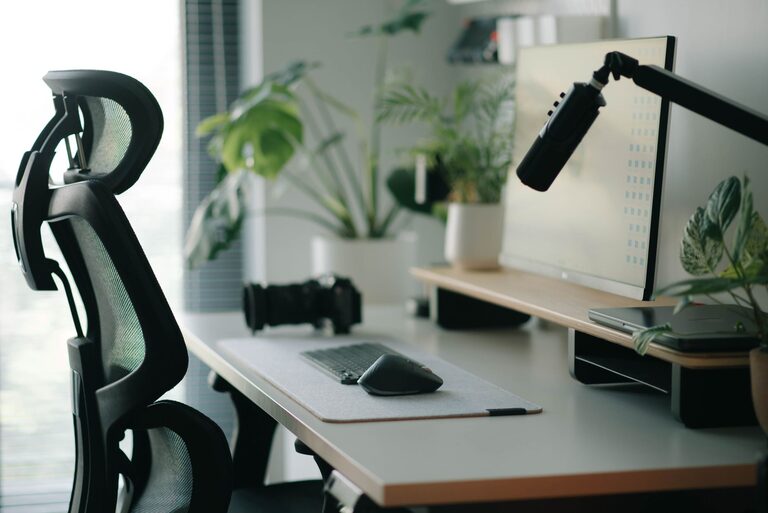
Creating a well-organized and comfortable desk setup can significantly improve your focus and overall productivity. Whether you work from home, in an office, or study, having a dedicated space that supports your needs makes a big difference. In this post, we’ll explore practical tips for arranging your desk to help you stay focused and comfortable for hours on end.
Why Desk Setup Matters
Your workspace environment has a direct impact on your ability to concentrate and work efficiently. Distractions, discomfort, or clutter can make it difficult to stay on task. A thoughtfully arranged desk not only supports good posture but also reduces stress and makes it easier to manage your daily tasks.
Choosing the Right Desk and Chair
Desk Considerations
– Size and Surface Area: Choose a desk size that fits your space but also provides enough room for your essentials without feeling cramped. A larger surface allows you to spread out documents or devices comfortably.
– Height: Desk height should allow your forearms to be roughly parallel to the floor when typing or writing. Adjustable desks or desk converters can offer flexibility for sitting or standing throughout the day.
– Storage Options: Integrated drawers or shelves help keep your desk tidy, reducing clutter and keeping frequently used items within reach.
Chair Selection
– Ergonomics: Invest in an ergonomic chair that supports your lower back and encourages good posture. Look for adjustable height, backrest, and armrests to tailor the fit.
– Comfort: The chair should be cushioned but firm enough to encourage proper support. Comfortable seating helps prevent fatigue and discomfort during long work sessions.
Organizing Your Desk for Maximum Focus
Declutter Regularly
A clear desk encourages a clear mind. Remove unnecessary items daily and keep only what you need within arm’s reach. Use cable organizers to manage cords and prevent tangles.
Use Desk Organizers
Trays, pen holders, and file organizers keep your supplies tidy and easy to find. Assign specific spots for items like notebooks, chargers, and other accessories.
Position Frequently Used Items Strategically
Items you use often—like your keyboard, mouse, and notebook—should be directly in front of you to minimize reaching. Less frequently used items can be placed to the side or in drawers.
Setting Up for Ergonomic Comfort
Monitor Placement
– Position your monitor at eye level, about an arm’s length away, so you don’t have to tilt your head up or down.
– If you use multiple screens, place the primary monitor directly in front and any secondary screens to the side.
Keyboard and Mouse
– Keep your keyboard and mouse close enough to avoid overreaching.
– Use a wrist rest if needed to maintain neutral wrist positioning.
Lighting
– Natural light is ideal if possible; position your desk near a window to benefit from daylight.
– Use a desk lamp with adjustable brightness and direction to reduce eye strain in low light conditions.
– Avoid glare on your screen by angling monitors away from direct light sources.
Adding Personal Touches Without Distraction
Personalizing your desk can make it more inviting and motivating, but balance is key.
– Plants: Small indoor plants can brighten your space and improve air quality.
– Photos or Art: A few framed pictures or tasteful artwork adds personality without creating clutter.
– Comfort Items: Consider a small cushion or a cozy throw to stay comfortable but avoid over-decorating.
Maintaining Your Desk Setup
– Daily Reset: Spend a few minutes at the end of each day tidying your workspace.
– Regular Cleaning: Dust surfaces and wipe down your equipment weekly to keep everything fresh.
– Review and Adjust: Periodically reassess your setup to ensure it continues to meet your needs, especially if your work habits change.
Conclusion
A well-planned desk setup is key to enhancing both focus and comfort during your workday. By choosing the right furniture, organizing your tools efficiently, and creating an ergonomic environment, you can reduce distractions and support your productivity. Remember to personalize your space thoughtfully and maintain it regularly to keep your workspace inviting and efficient.
With these desk setup tips, you’re well on your way to building a workspace that works for you, helping you stay focused and comfortable no matter the task.