 By
By 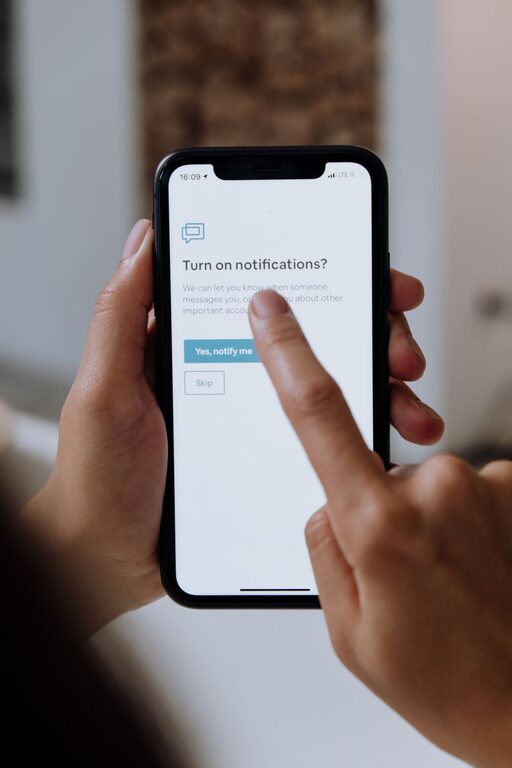
In today’s digital world, notifications are everywhere — from smartphones and laptops to smartwatches and other connected devices. While notifications can be helpful reminders, they can also distract us, reduce productivity, and even increase stress. Setting boundaries with notifications is essential if you want to maintain focus, improve your well-being, and enjoy a better balance between technology and your personal life.
This post explores practical tips for managing your notifications effectively and setting boundaries that work.
Why Setting Boundaries with Notifications Matters
Notifications are designed to capture your attention instantly. However, constant interruptions can lead to:
– Reduced concentration on important tasks
– Increased stress and anxiety
– Difficulty separating work from personal life
– Poor sleep quality if notifications disrupt rest time
By consciously managing notifications, you regain control over your attention and create space for meaningful work, relaxation, and connections.
Tips for Setting Boundaries with Notifications
1. Review and Customize Notification Settings
Your devices and apps often let you control which notifications you receive. Start by:
– Turning off non-essential notifications (e.g., social media likes, promotional alerts)
– Prioritizing critical alerts like calendar reminders or urgent messages
– Using notification summaries or batching to receive certain notifications at set times rather than immediately
Taking time to customize these settings ensures you only get interruptions that truly matter.
2. Use Do Not Disturb or Focus Modes
Most devices offer “Do Not Disturb” or similar focus modes. These features temporarily silence notifications and calls, so you can work, study, or relax without distractions.
– Schedule Do Not Disturb during periods of deep focus or rest
– Allow exceptions for important contacts or apps if necessary
– Experiment with different durations to see what improves your workflow or well-being
3. Designate Tech-Free Zones and Times
Creating boundaries around when and where you engage with notifications can help you disconnect and recharge.
– Set specific times to check emails and messages instead of constantly monitoring them
– Avoid screens during meals, before bed, or first thing in the morning
– Consider device-free zones like the bedroom or dining area to improve sleep and family connection
4. Limit Notification on Multiple Devices
If you receive the same notifications on your phone, tablet, and computer, decide which device is best for different types of alerts.
– Disable duplicate notifications on secondary devices to reduce noise
– For example, keep messaging notifications only on your phone, but calendar reminders on your computer during work hours
5. Turn Off Push Notifications for Non-Essential Apps
Many apps push notifications by default, but not all of them need your immediate attention.
– Disable push notifications in apps where you don’t need instant updates, such as games, shopping, or news apps
– Check notification settings regularly, as apps sometimes reset defaults after updates
6. Practice Mindful Notification Checking
Instead of reacting to every ping, be intentional about when and how you check your notifications.
– Set specific times to review notifications in batches
– Avoid opening notifications impulsively; ask yourself if it’s the right time to respond
– Use tools like timers or the Pomodoro technique to stay focused while managing interruptions
7. Communicate Your Boundaries to Others
Let coworkers, friends, and family know your preferences for communication timing.
– Share your designated “quiet hours” or preferred methods for urgent contact
– Encourage understanding to reduce pressure to respond immediately
8. Regularly Reassess Your Notification Settings
Your priorities and routines may change over time, so it’s helpful to revisit notification settings periodically.
– Audit which notifications you receive every few months
– Adjust settings to align with your current goals and lifestyle
Benefits of Setting Notification Boundaries
Implementing these tips can lead to:
– Increased focus and productivity by reducing interruptions
– Better work-life balance through controlled device use
– Reduced stress and improved mental clarity
– Healthier sleep by minimizing nighttime alerts
– More meaningful engagement with people and activities around you
Conclusion
Notifications can be a double-edged sword — useful when managed well but distracting when left unchecked. By setting clear boundaries, customizing your notification preferences, and practicing mindful technology use, you can reclaim your attention and enjoy a more balanced digital life.
Start with small changes today, and notice the positive impact on your daily routine. Your focus and well-being will thank you!